Fast, Reliable Receipt Printing for Indian Shops
Print receipts on your phone. Invoice customers on WhatsApp. No internet needed.
No credit card needed. Works with any Bluetooth thermal printer. Runs on phone browser.

Features
Everything you need to print receipts and invoice customers from your phone.
Fast Receipt Printing
Print on your phone in one tap. No desktop required.
Phone-Based
Use your phone's Bluetooth to print. No extra computer needed.
WhatsApp Invoicing
Send invoices on WhatsApp automatically or with one tap.
Auto-Connects
Works with any Bluetooth thermal printer. No setup needed.
Receipt Search
Find receipts instantly. Filter by customer, date, or amount.
Secure & Private
Your shop data is safe. We never share your customer data.
How It Works
Simple setup. Print in 10 seconds.
Pair Your Printer
Turn on Bluetooth on your phone and printer. Select the printer in the app.
Add a Customer
Enter the customer's name, phone, or email. Add items if needed.
Add Items
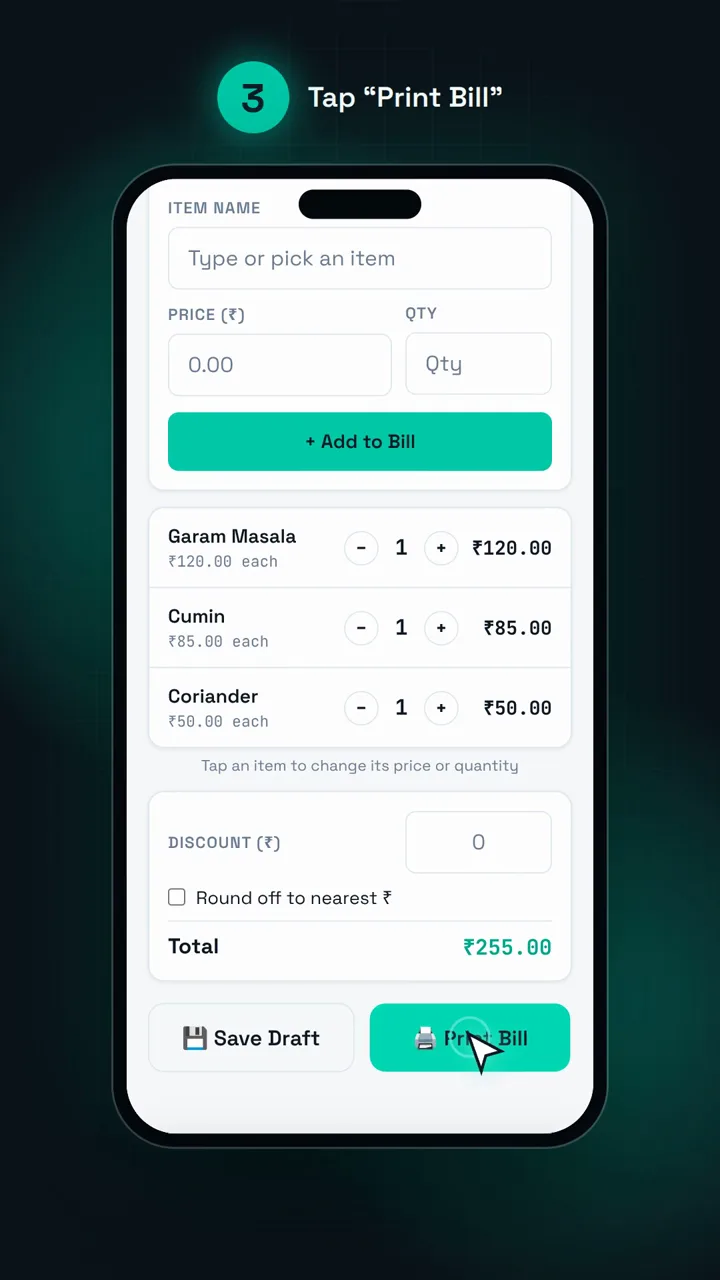
Type items, quantities, and prices. The app calculates totals automatically.
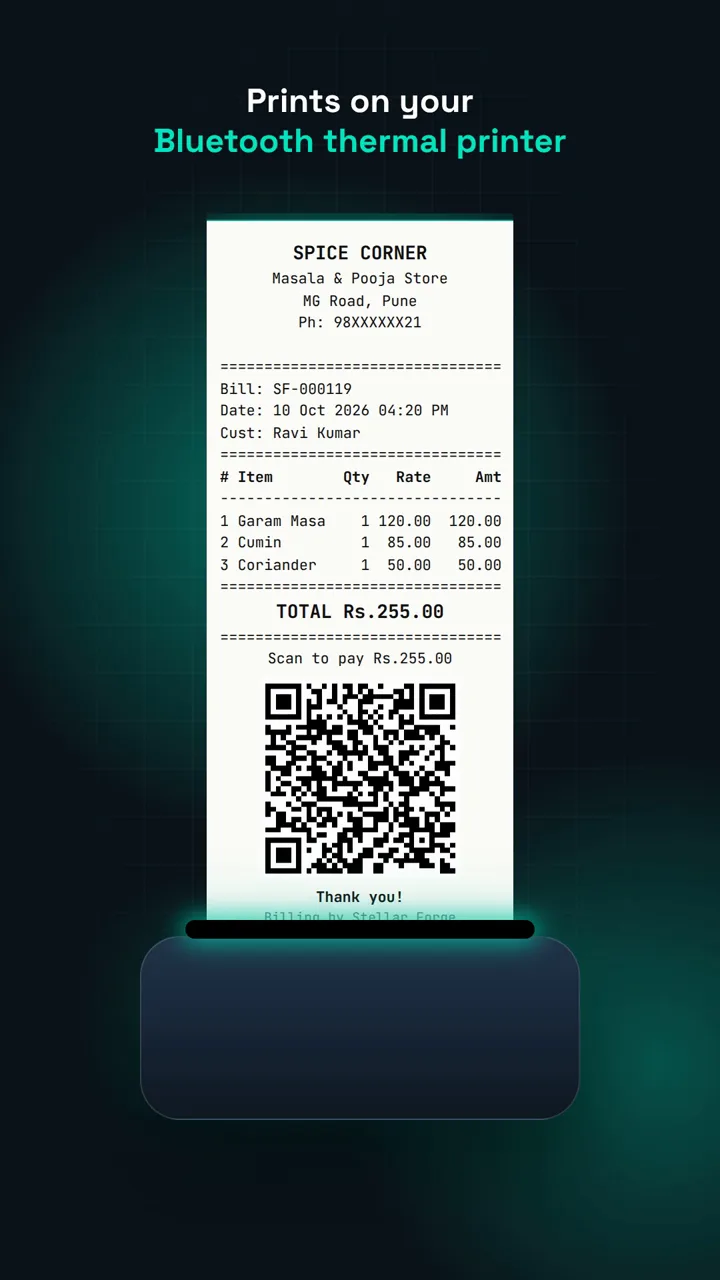
Tap Print. Your receipt prints on the thermal printer. Send a copy on WhatsApp.
Simple, transparent pricing
Start free today with no credit card. 200 bills included every month.
Billing Free Plan
Ideal for counter billing, food stalls, repair stores & retail shops.
- 200 thermal bills per month
- Bluetooth 58mm & 80mm printer support
- Dynamic UPI QR code on printed receipts
- Instant WhatsApp PDF invoices
- Custom receipt design & numbering
- GST & tax settings
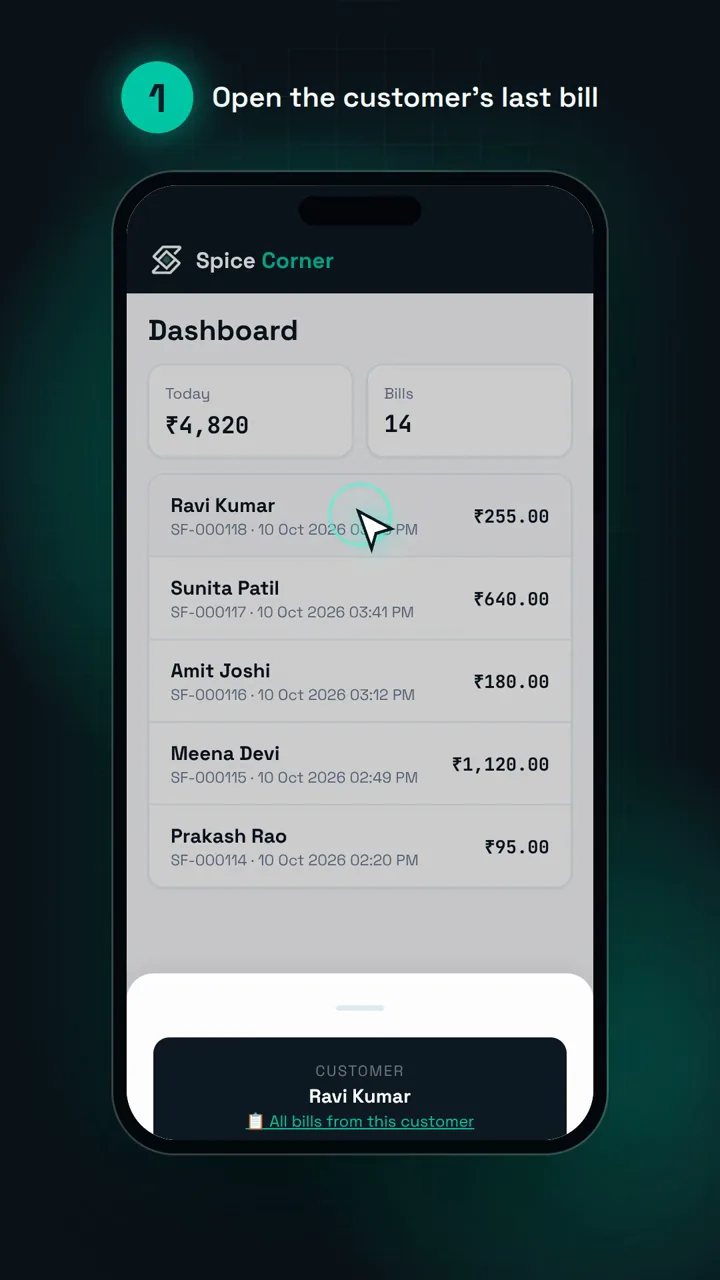
- 1-tap repeat last bill
- Auto-syncs with Expense Tracker
Need no ads or higher billing volume?
Billing Basic — ₹29/month
600 bills / month • No ads anywhere
Less than ₹1 a day. Keeps your receipt counter distraction-free.
or ₹249/year (Save 28%)
Choose BasicBilling Pro — from ₹199/month
Unlimited bills • Staff logins
Multi-device printing, staff logins, custom domain, and verified badge.
Talk to us on WhatsAppUsed all 200 free bills? You decide: continue billing at ₹0.30 per extra bill (we message you on WhatsApp to pay by UPI up to your limit), or wait until next month. Your data is never locked and receipts stay printable.
Extra usage: ₹0.30 per bill • Pay by UPI See full pricing comparison →Frequently Asked Questions
Everything you need to know about Stellar Forge Billing.
Is it really free?
Yes. Every app has a free plan with a monthly limit. No card needed. Billing includes 200 free bills every month.
Which printer do I need for the billing app?
Any standard 58mm or 80mm Bluetooth thermal receipt printer. We support popular budget models like NGX, Everycom, Bluprint, Phomemo, and generic ESC/POS printers via Thermer App. No bulky desktop computer needed.
What happens after 200 free bills?
You choose: continue billing at ₹0.30 per bill (we message you on WhatsApp and you pay by UPI), or wait until the next month. Your shop data is never locked, and you can always view, reprint, and export past bills.
Can I send bills on WhatsApp?
Yes. Every bill can be shared directly with your customer as a clean PDF invoice on WhatsApp in one tap.
Does the printed receipt include a UPI QR code?
Yes. Every receipt automatically includes a dynamic UPI QR code with your exact bill amount, making payments instant and error-free.
Does Billing connect with Expense Tracker?
Yes! When you use both apps, printed bills can auto-sync directly into Expense Tracker as sales, without counting as additional entries.
Contact Us
Questions about Stellar Forge Billing? We're here to help.
Screens
A quick look at the app on your phone.
Technical Support
Need help with your receipt printer? Follow the setup steps below or visit our support guide.